
How to use QR codes
-
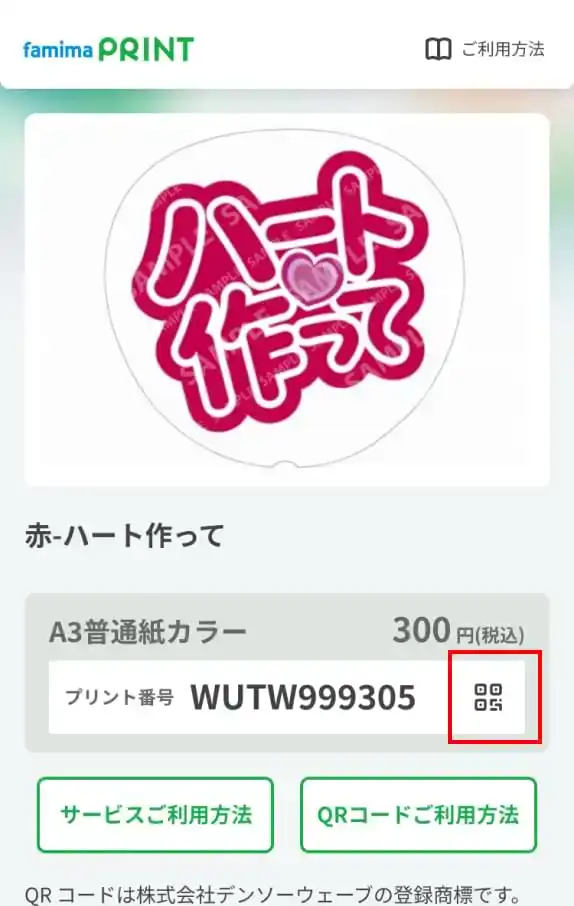
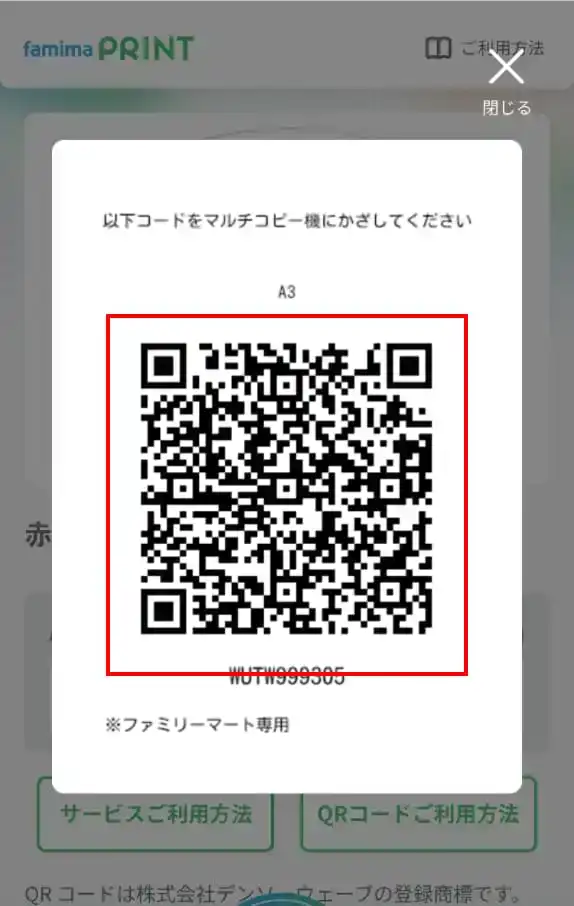
Open the QR code from the product page you wish to purchase, or prepare a screenshot of the QR code.
-
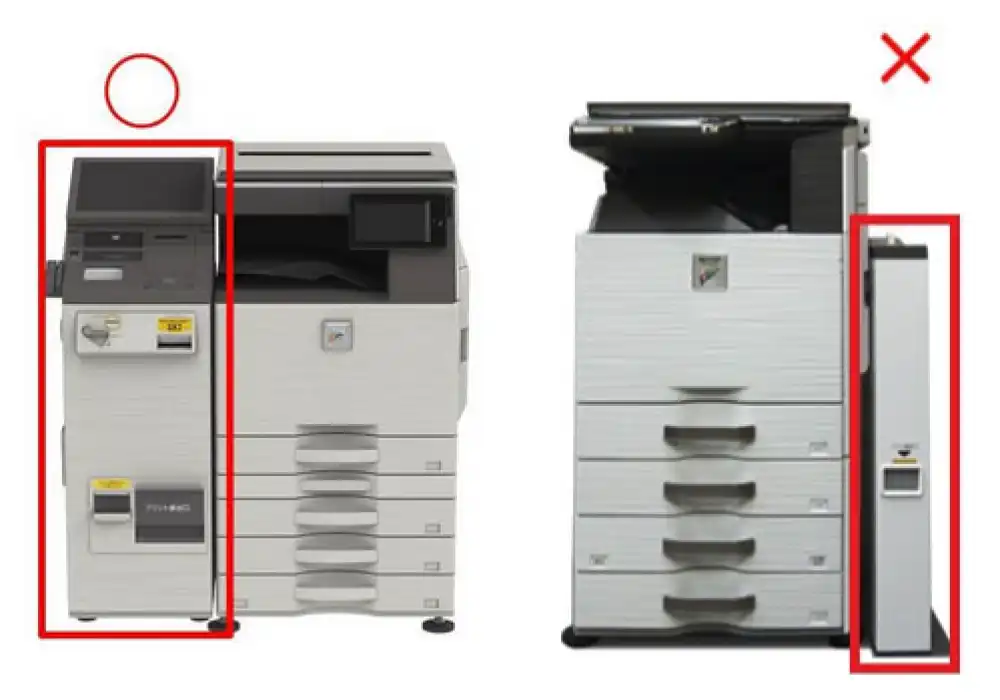
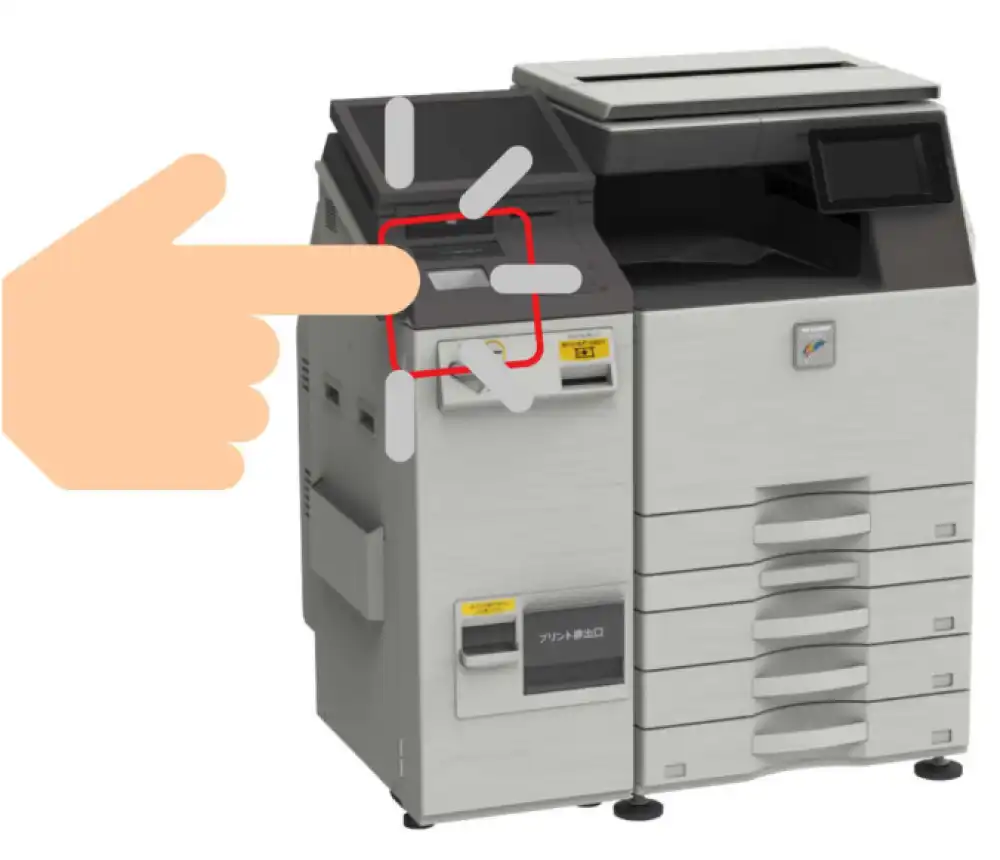
Look for the multi-function copier inside the FamilyMart store.
*Please note that you cannot purchase this item on multi muti-copy machine with long, narrow coin dispensers.
-
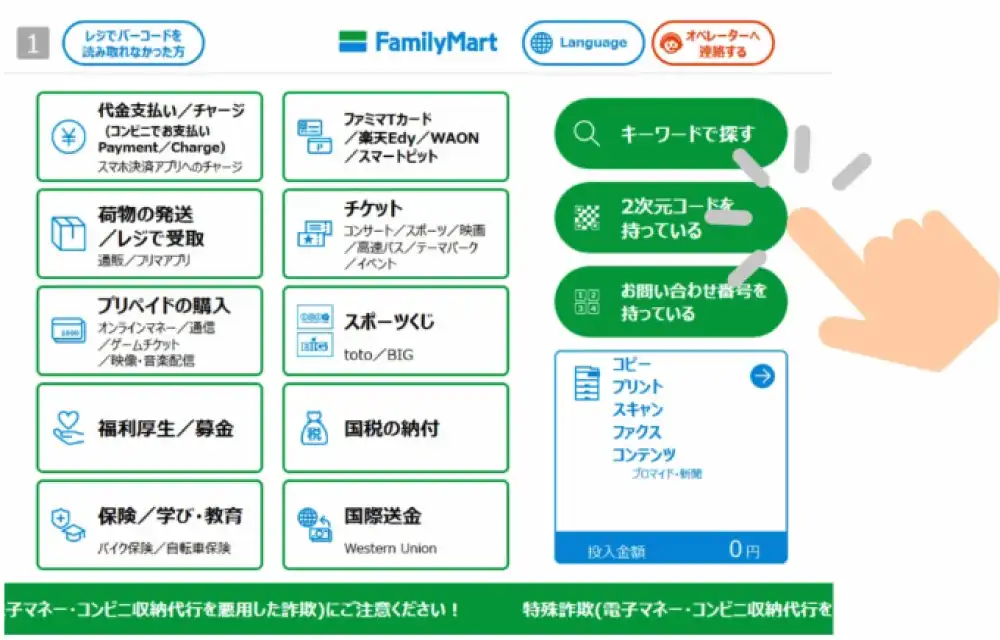
Touch "2次元コードを持っている(Using QR Code)" on the right side of the screen.
-
Scan the QR code at the code reader.
(1)
(2)
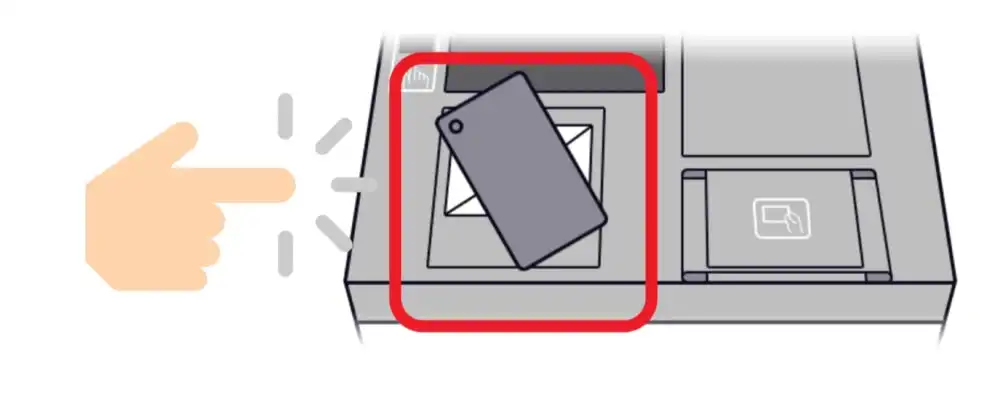
-
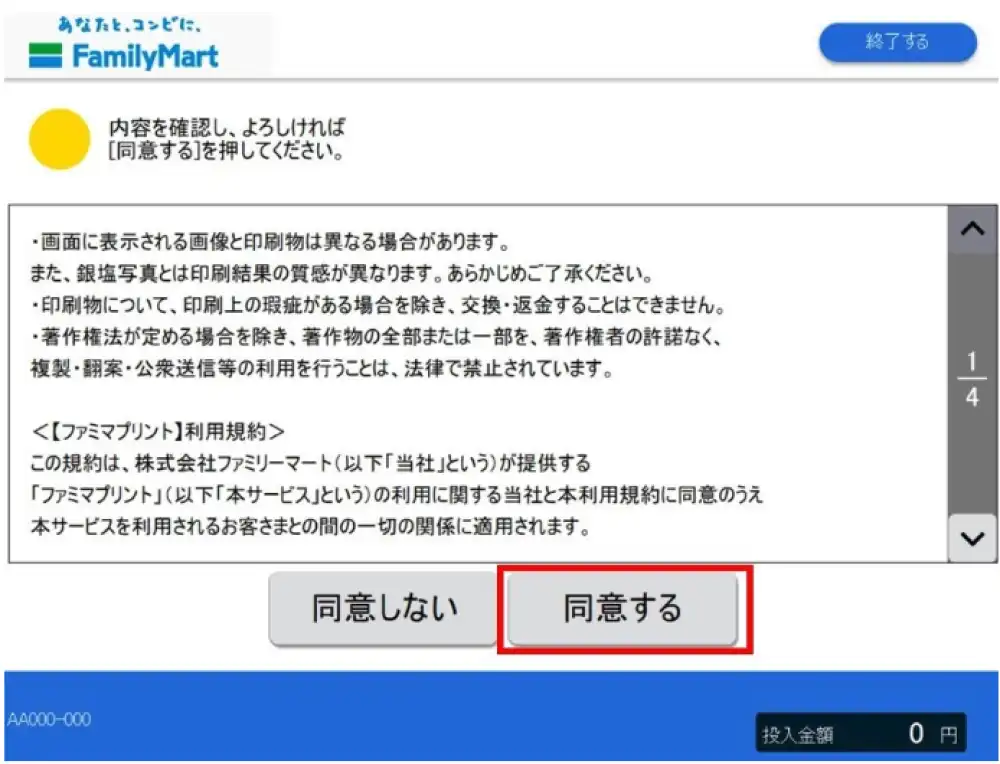
Please review the terms of use and select "同意する(Agree)" if there are no issues.
-
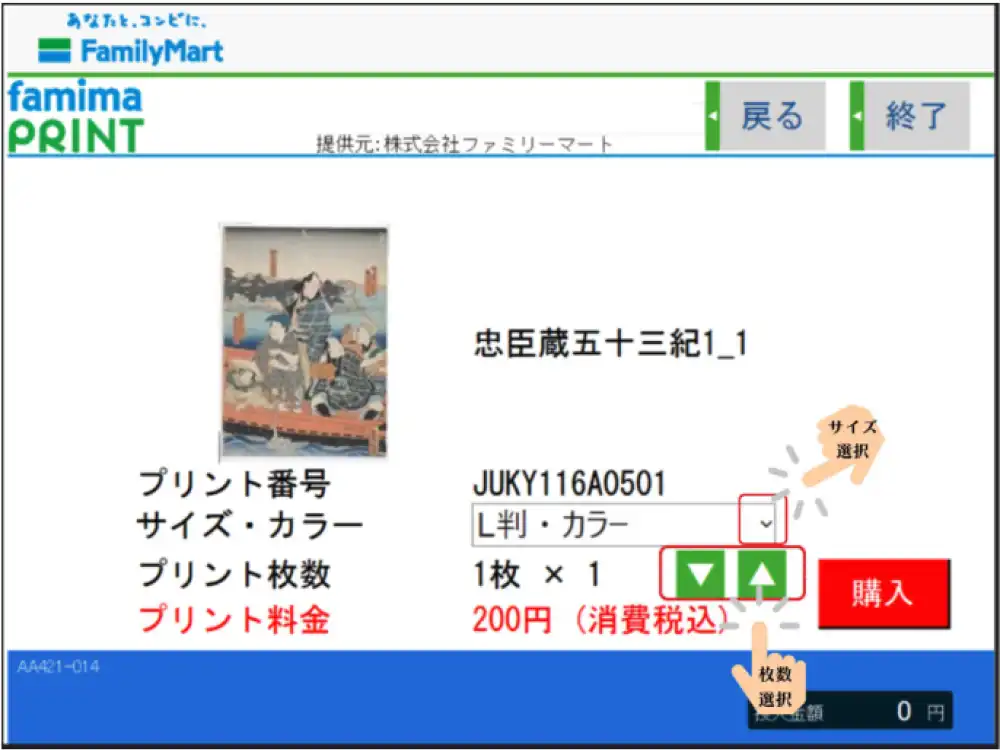
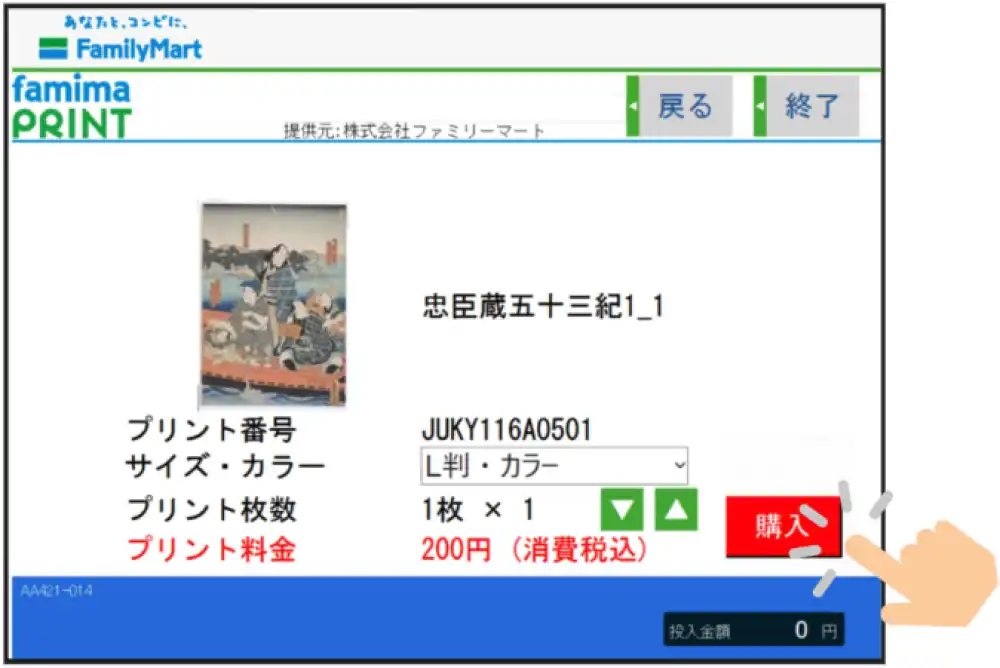
Please check if the product displayed on the screen is the product you want.
*You can select other sizes by touching the dropdown menu to the right of "Size/Color." (Only if other sizes are available)
*If you wish to purchase multiple copies at once, touch the triangle to the right of "Number of Prints".
-
Touch "購入" and print the product.
*You can also use the QR code from the following screen. 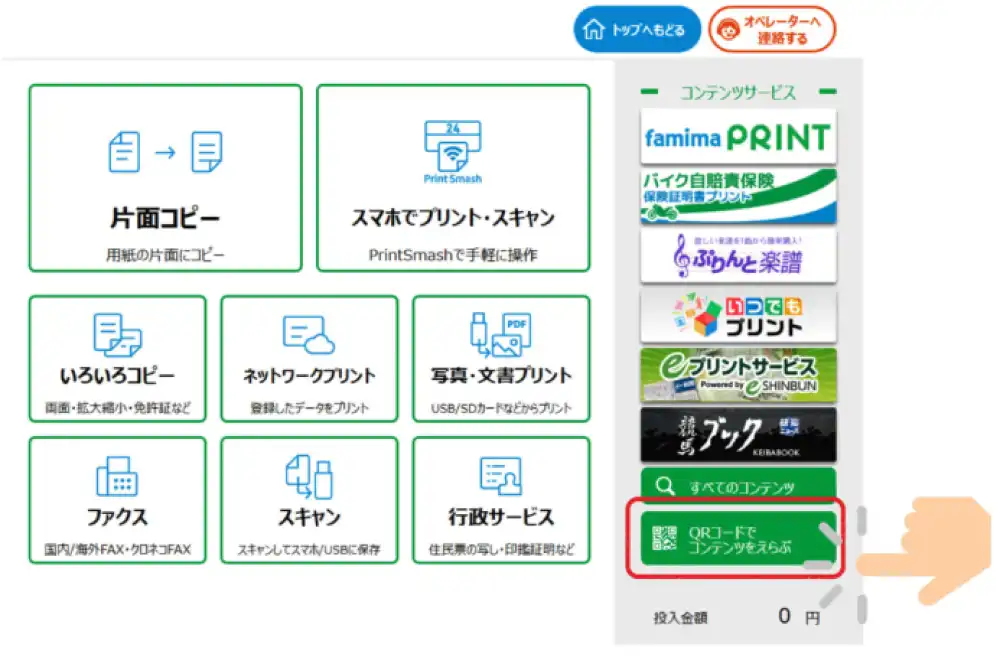
*QR Code is a registered trademark of DENSO WAVE INCORPORATED.
Precautions
*This service is not available at stores with muti-copy machine that do not offer photo printing. Please be aware of this in advance. Click here to find nearby convenience stores with muti-copy machine.
*When searching, selecting the checkboxes for "Photo Print (L size)", "Photo Print (2L size)", and "FamilyMart" will display only stores that offer these services in the search results.
*Regarding printed materials, we cannot offer exchanges or refunds except in cases of printing defects.
Except as permitted by copyright law, it is prohibited by law to reproduce, adapt, publicly transmit, or otherwise use all or part of a copyrighted work without the permission of the copyright holder.
*Please note that the product images you see on your computer or smartphone screen may differ in color, brightness, etc., from the actual printed product.
Recommended browsers
We recommend using the following browsers.
PC: Microsoft Edge/Safari/Firefox/Chrome latest version
iPhone: iOS15.4 or later, Safari, Chrome
Android: Standard browser, Chrome