
User Guide
What is famima PRINT?
You can purchase original print items from the multi-copy machines in FamilyMart.
*Not available at some stores.
*Photo paper can be used at stores marked with a 〇 on the "Convenience Store Search" page linked above.
How to use
Operate it from the screen of the muti-copy machine inside the FamilyMart store.
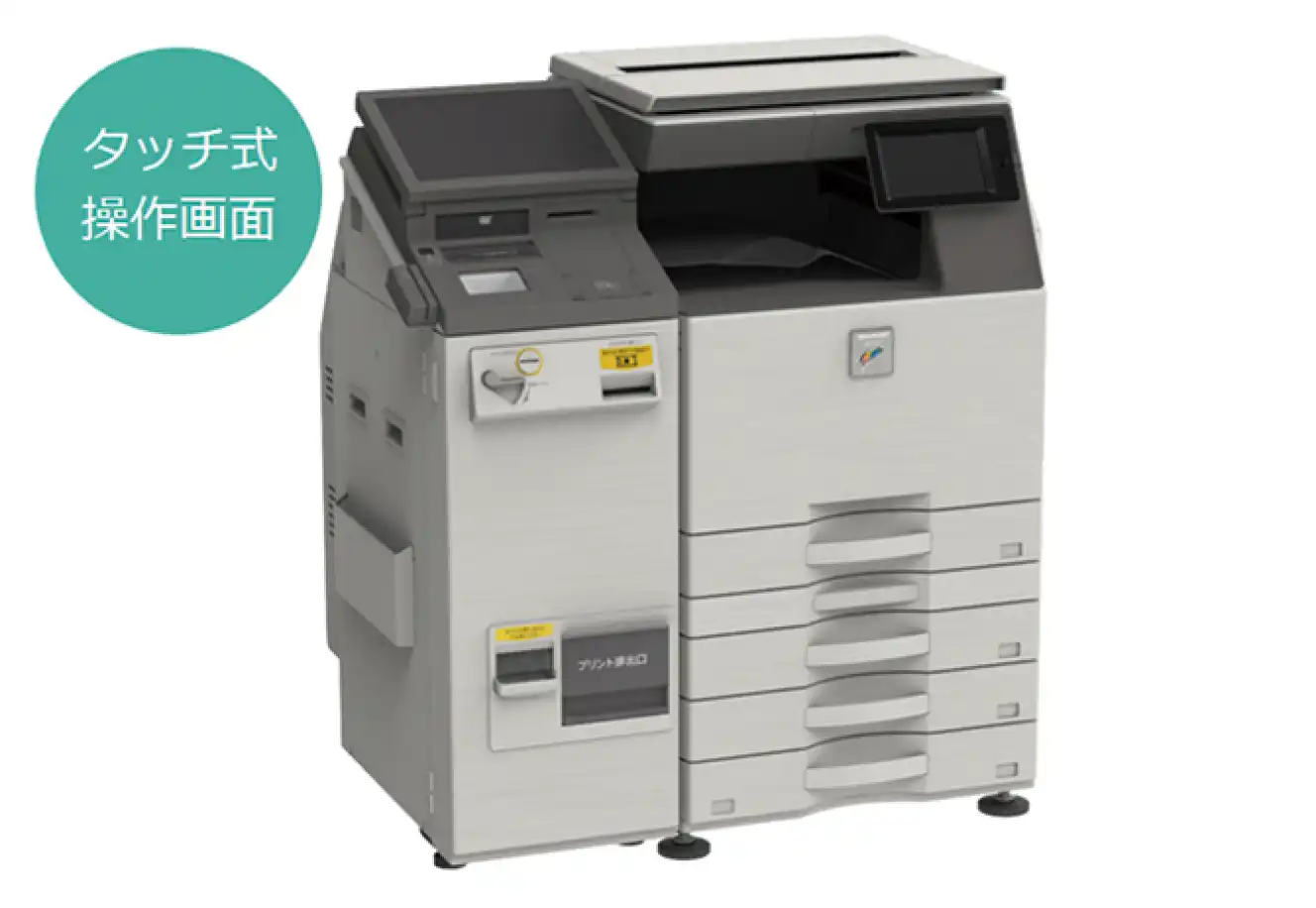
You can make a smooth purchase by selecting the content you want to purchase on this website and displaying the [プリント番号(Print Number)] or [QRコード(QR Code)] on your smartphone.
How to output as a QR code
-
Touch the blue frame at the bottom right of the screen
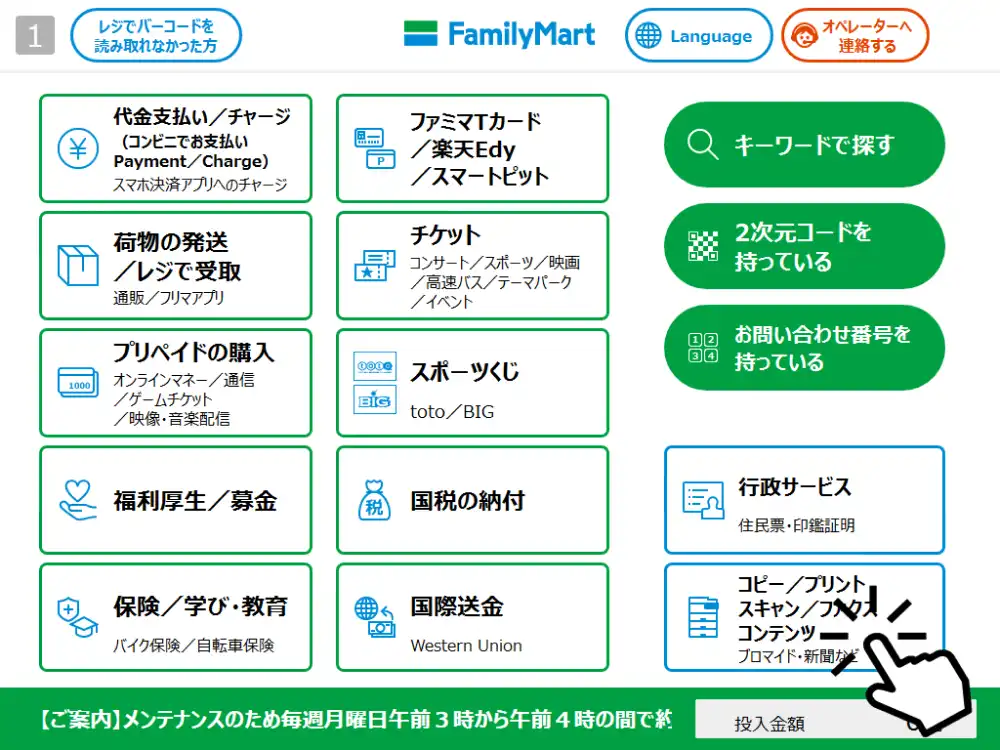
-
Touch 【famima PRINT】on the touch panel content service.
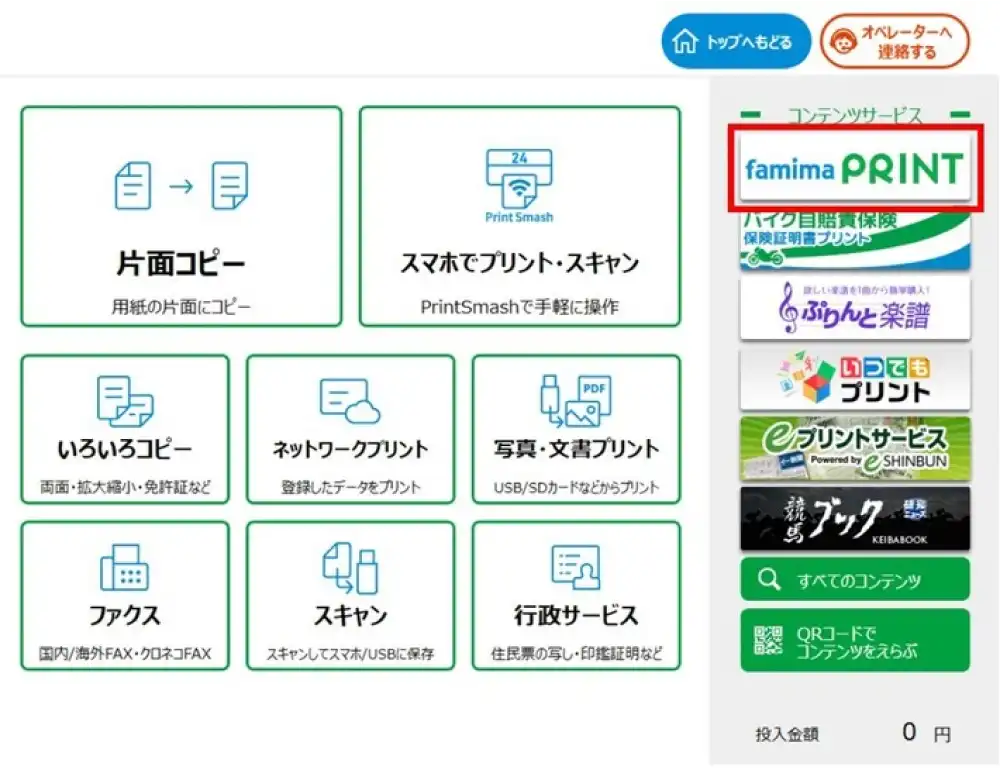
-
Agree to the terms of use
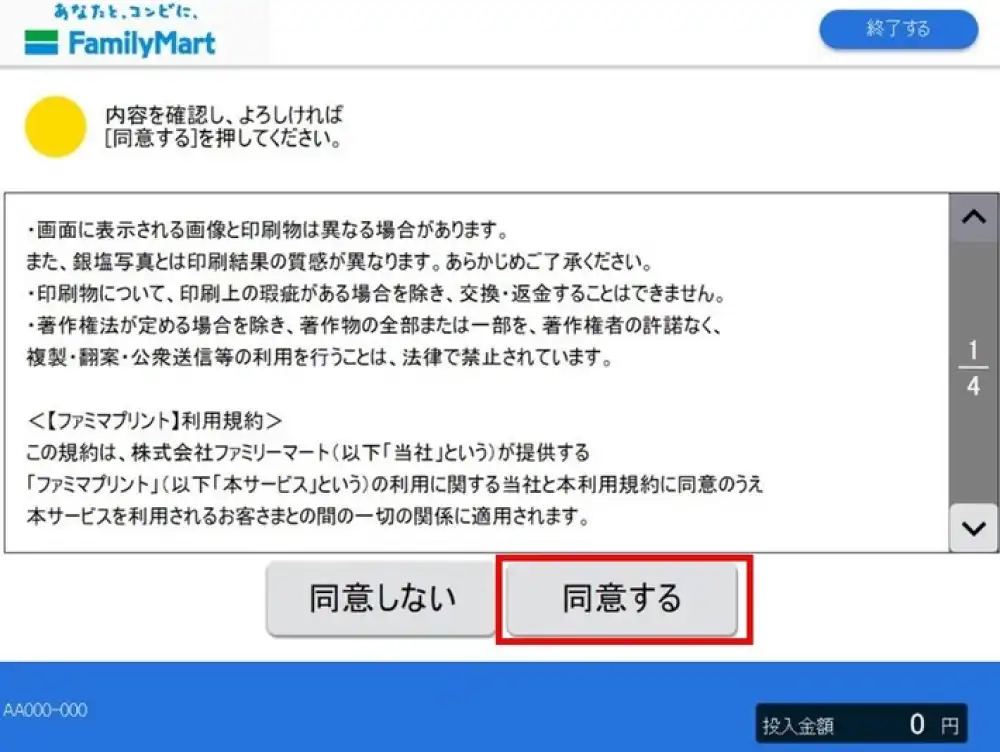
-
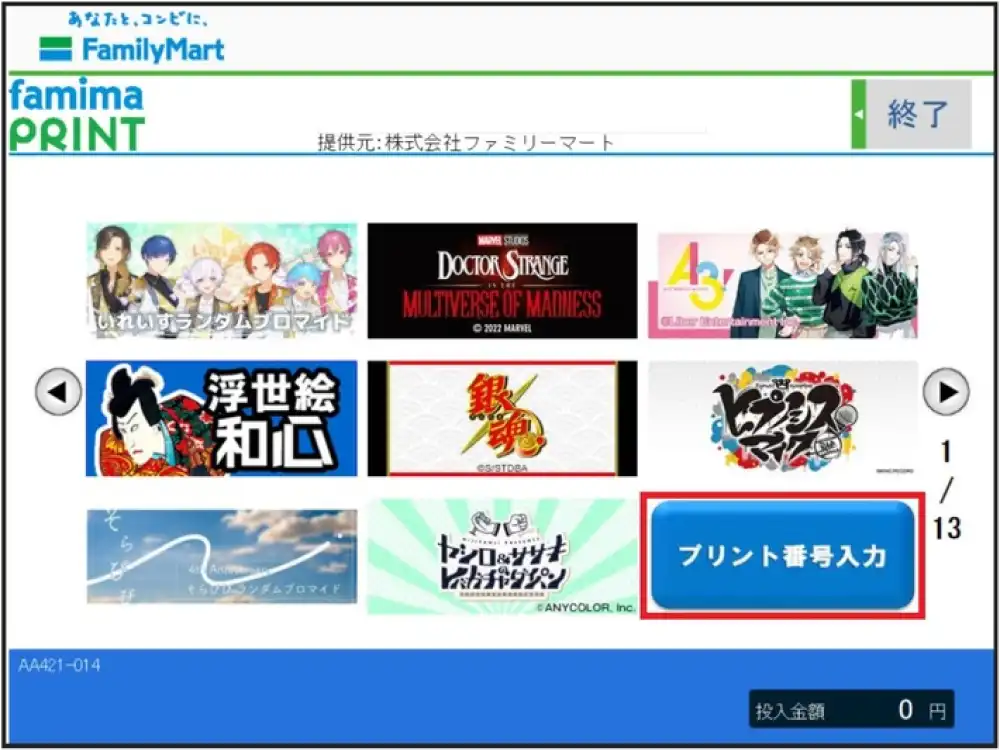
Touch [プリント番号入力(Enter Print Number)]
-
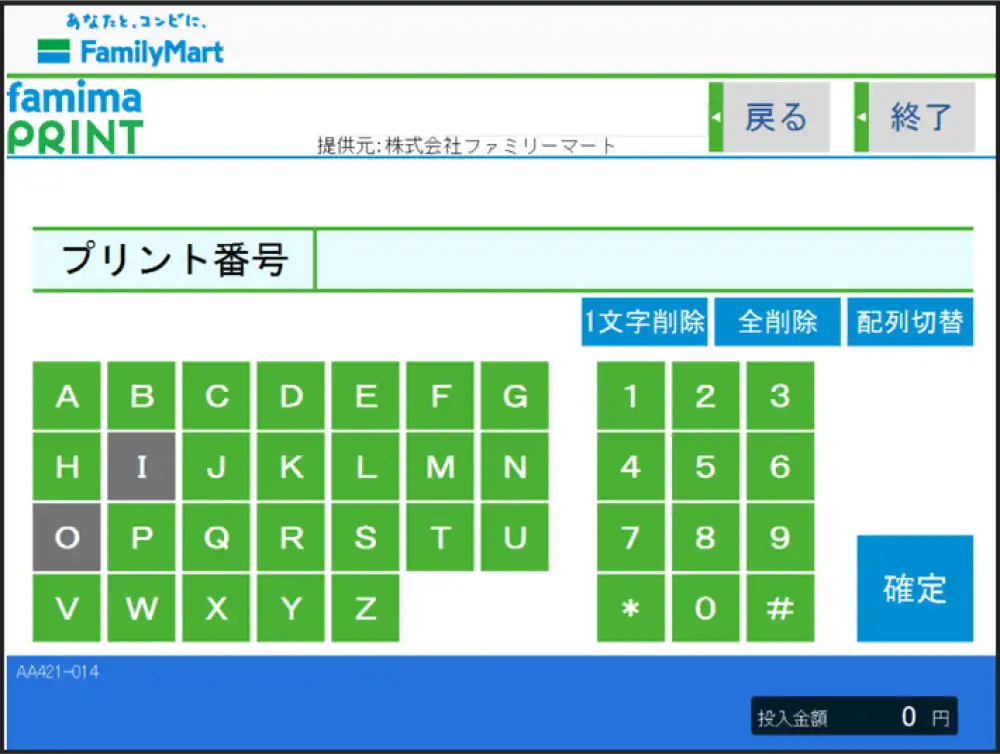
Enter the Print Number of the product
-
Choose the size, color, and quantity, then touch [購入(Purchase)].
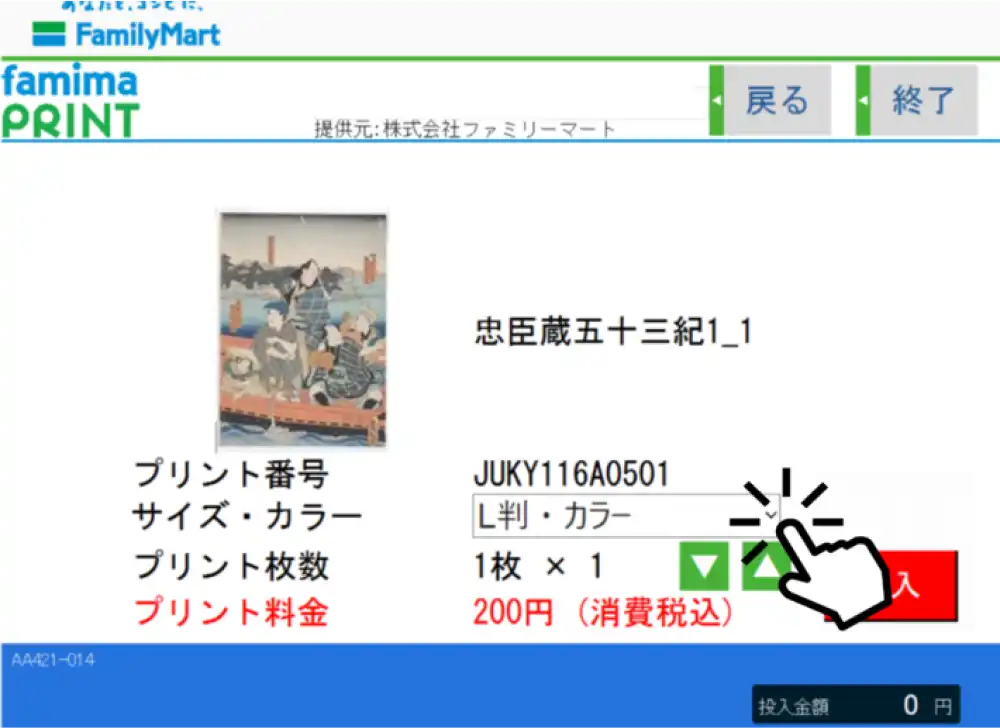
Changes of Size and color are only available if other sizes are availabChole. -
The printed product will be output to the [Output Port]
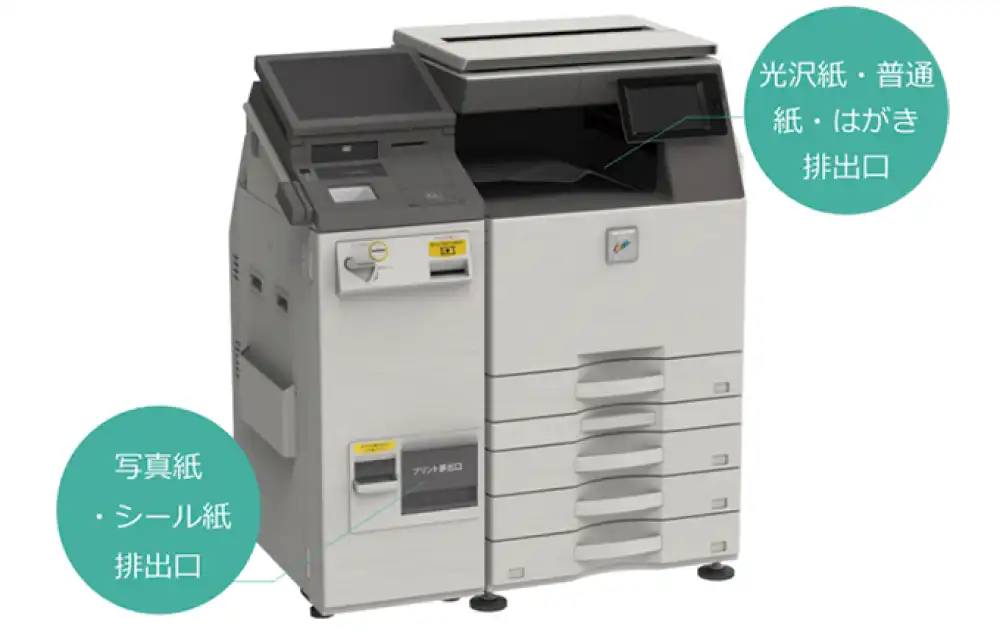
Sticker and photo paper in L, 2L, and square sizes are ejected.
*Glossy paper, plain paper, and postcards are output to the output port of the multi-copy machine itself.
-
Touch the blue frame at the bottom right of the screen
-
Touch 【famima PRINT】on the touch panel content service.
-
Agree to the terms of use
-
Touch the banner for the purchased content
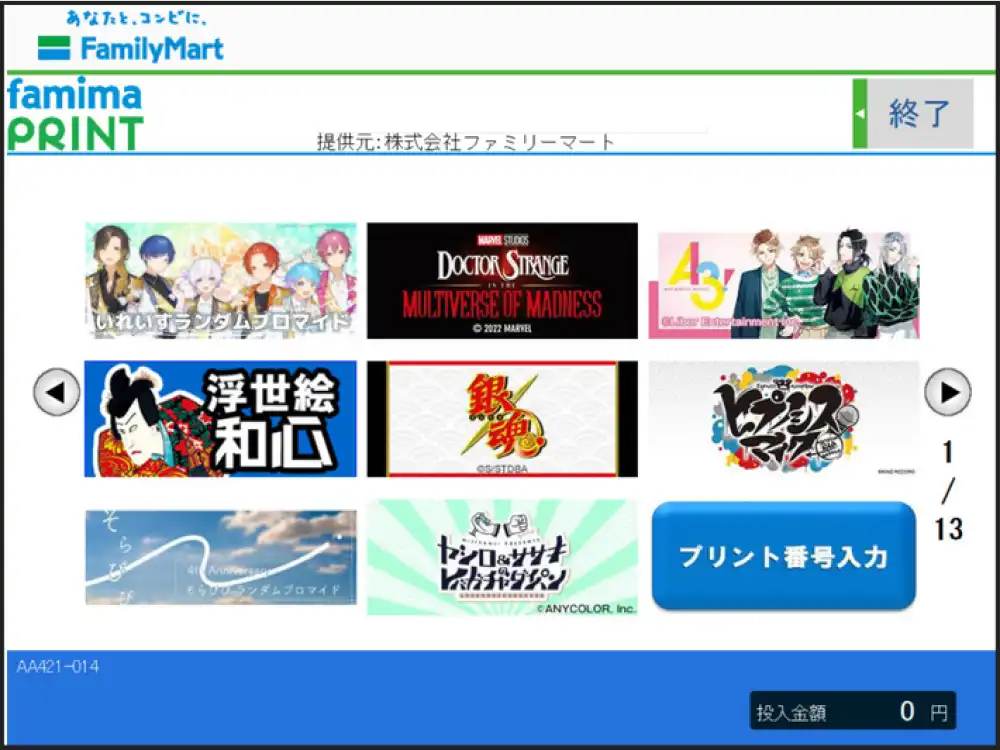
-
Check the items you wish to purchase and touch [Confirm].
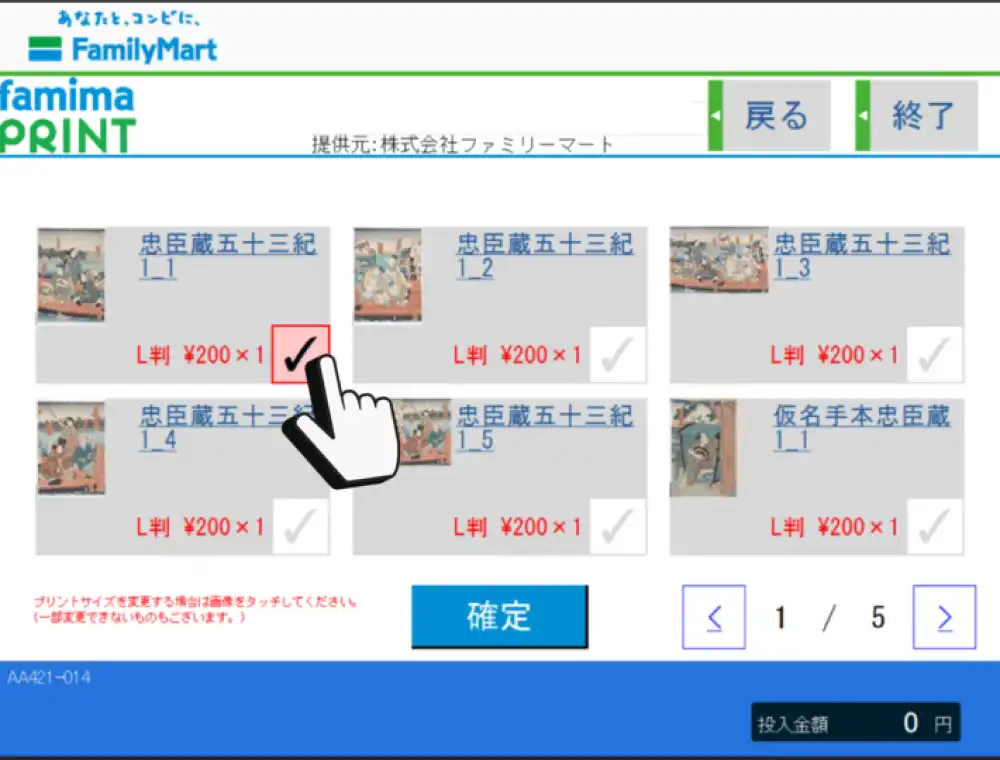
*You can select and purchase multiple designs at once.
*For content sold in "random format," the thumbnail image is for illustrative purposes only and may differ from the actual printed image. -
Touch [購入(Purchase)] and print the product.
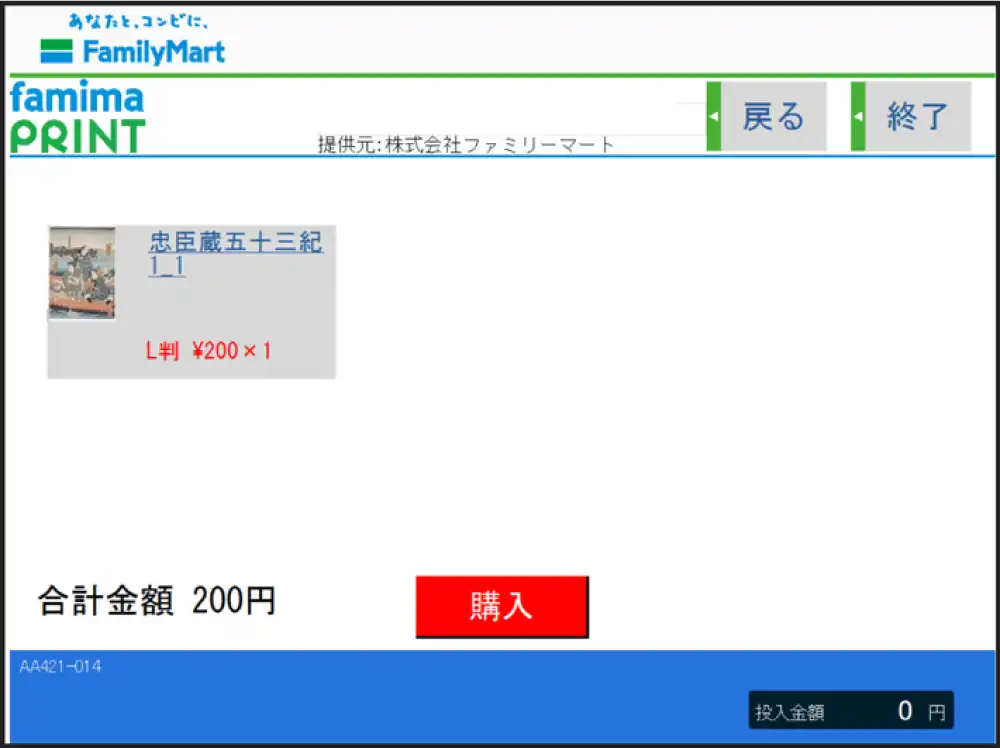
-
The printed product will be output to the [Output Port]
Sticker and photo paper in L, 2L, and square sizes are ejected.
*Glossy paper, plain paper, and postcards are output to the output port of the multi-copy machine itself.
Precautions
*This service is not available at stores with muti-copy machine that do not offer photo printing. Please be aware of this in advance. Click here to find nearby convenience stores with muti-copy machine.
*When searching, selecting the checkboxes for "Photo Print (L size)", "Photo Print (2L size)", and "FamilyMart" will display only stores that offer these services in the search results.
*Regarding printed materials, we cannot offer exchanges or refunds except in cases of printing defects.
Except as permitted by copyright law, it is prohibited by law to reproduce, adapt, publicly transmit, or otherwise use all or part of a copyrighted work without the permission of the copyright holder.
*Please note that the product images you see on your computer or smartphone screen may differ in color, brightness, etc., from the actual printed product.
Recommended browsers
We recommend using the following browsers.
PC: Microsoft Edge/Safari/Firefox/Chrome latest version
iPhone: iOS15.4 or later, Safari, Chrome
Android: Standard browser, Chrome